Validating Quality Gates and Code Rules in Visual Studio
One popular aspect of the tool NDepend is the integration of the tool into the Continuous Integration build process. Every morning the team leader gets an up-to-date report telling if some Quality Gates or some Rules have been violated yesterday.
NDepend integrated in Visual Studio 2026, 2022, 2019, 2017, 2015, 2013, 2012 and 2010 is a smoother answer to the critical scenario when a developer violates a rule or a Quality Gate. Waiting till the day after to discover that a rules get violated is too long, it is not enough agile-oriented. It also means that a problem has been committed to the source control. Hence CQLinq rules and Quality Gates violation warn as soon as possible, right within Visual Studio.
All Quality Gates and rules are passed into Visual Studio as soon as one or several Visual Studio projects have been (re)compiled. And it just take a few seconds without slowing down the IDE.
Checking if there are Quality Gates and Rules Violations
The developer gets permanently informed of CQLinq rules validation status thanks to an NDepend progress circle located in the bottom-right corner of the Visual Studio window.
-

-

-

- some Quality Gates fail or
- some critical CQLinq rules are violated or
- some activated CQLinq queries don't compile or
- some activated CQLinq queries have an execution problem (exception thrown or time-out)
-

-

-


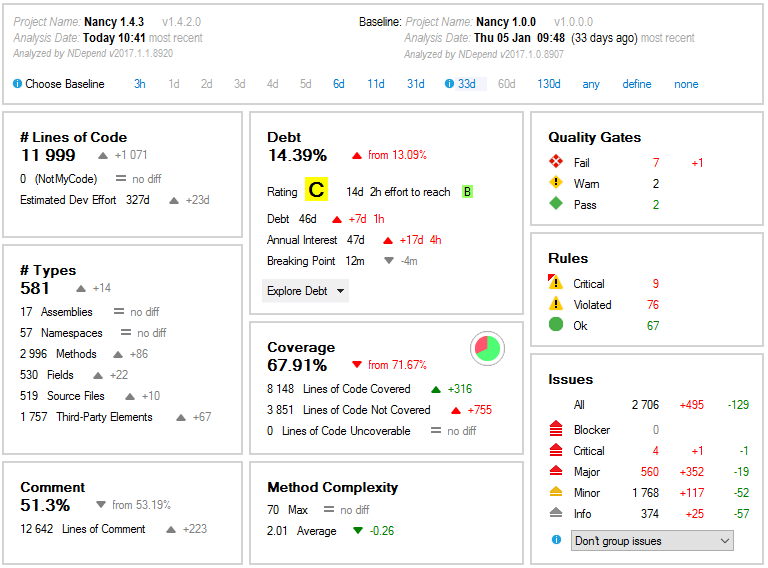
On the NDepend Dashboard, you can see the number of rules violated and the number of Quality Gates, Rules and Issues per severity and status.
If a baseline is available, the dashboard also shows the diff numbers since the baseline.
All numbers can be clicked, and when clicked a LINQ query is generated to list concerned Quality Gates, Rules or Issues in the NDepend query editor.
Rules Explorer and Rules Edition
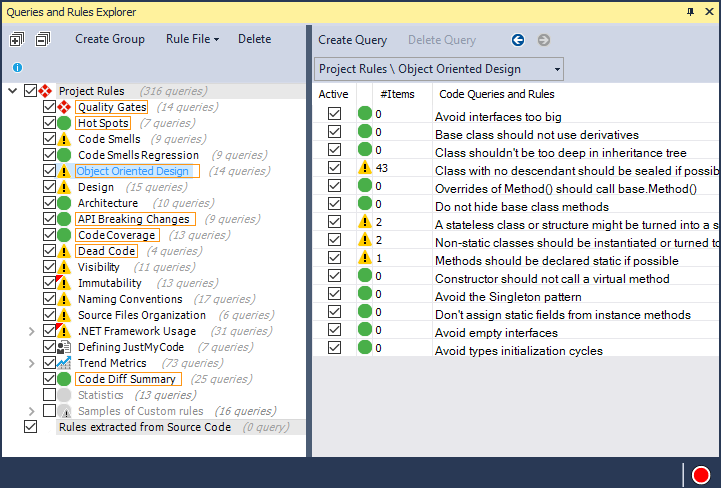
The CQLinq Explorer lists all Quality Gates and rules grouped by categories… Quality Gates status is represented with a losange while rules status si represented with a circle.
…and by clicking a rule you can jump to the CQLinq edition panel, where you can edit the rule and see culprit methods or classes that violate the rule.
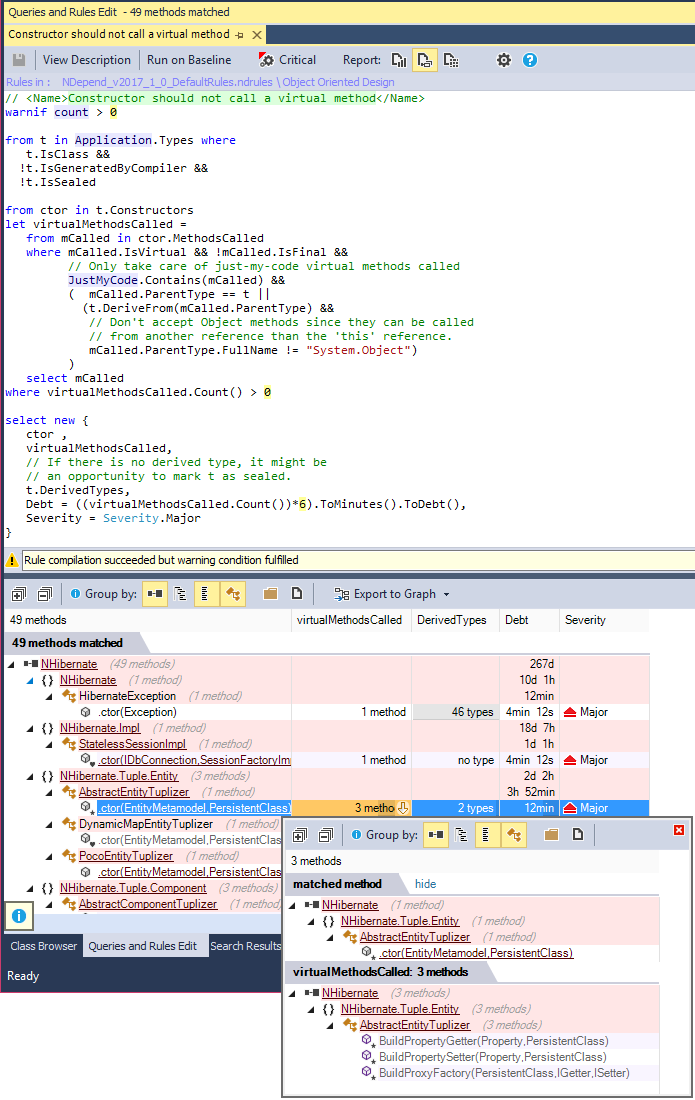
Of course double clicking a culprit method or class lets jump to its source code declaration. And if the application analyzed by NDepend spawns several Visual Studio solutions, and these solutions are currently opened in several Visual Studio instances, the code element gets edited within the adequate Visual Studio instance, the one that contains the Visual Studio solution that contains the code element. This behavior at first glance might surprise and even look like a bug. But with the habits it becomes a powerful time-saver trick. And this multi-VS-instances communication trick is made possible thanks to the Application-Wide code analysis of NDepend.
Focusing on Recent Issues Introduced Since Baseline
As a static analyzer, NDepend will likely find hundreds or even thousands of issues affecting a real-world code base. Stopping work to attempt to fix all issues for weeks would be quite unproductive.
This is why NDepend is the only tool that offers a baseline in Visual Studio. The tool estimates the Technical Debt progress since a baseline.
Recent code smells that should be fixed before committing any code to source control are highlighted in Visual Studio. They can then be fixed even before reaching the source server.
As a consequence the Code Quality remains under control with no major upfront investment.
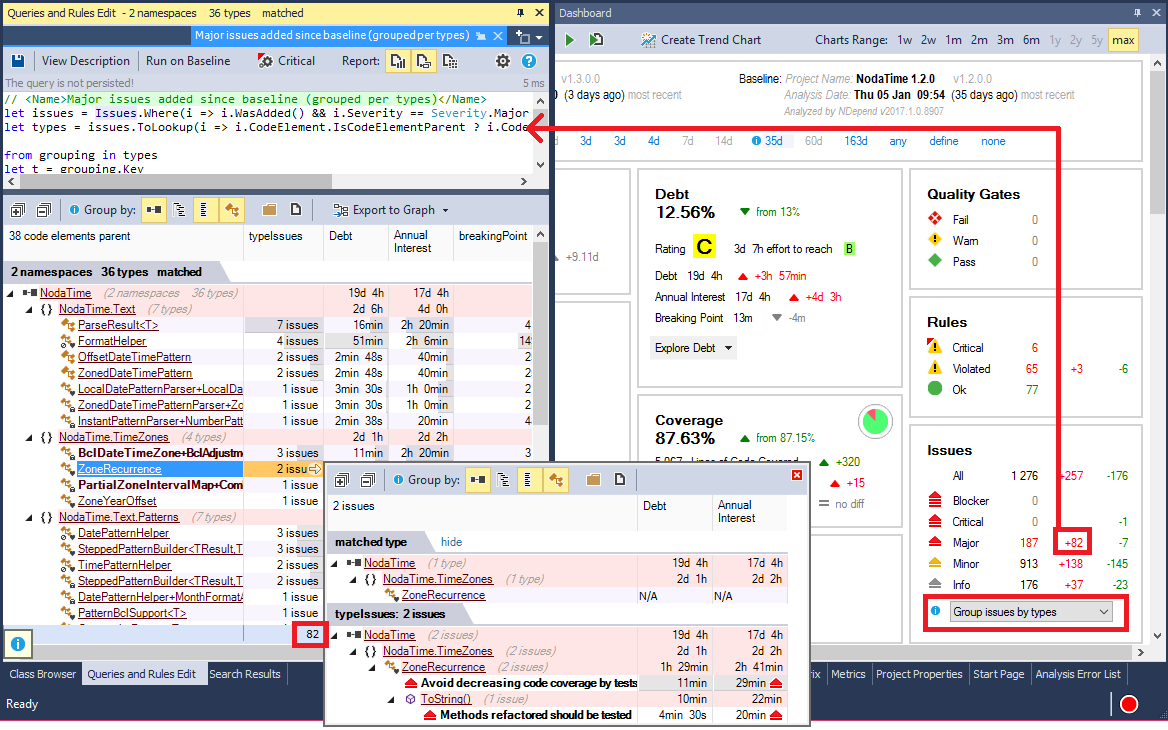
The screenshot below shows that a single click is enough to list for example all major issues introduced since the baseline, grouped by types.
Rules Files
Rule Files can be created and shared among NDepend projects. This is useful to define company-level standard rules sets shared amongst projects, and get them applied by all teams.

Rules Execution Options
Finally, in the form shown on progress circle hovering with mouse, there are 2 links Analysis Execution and Analysis Refresh in VS.
-
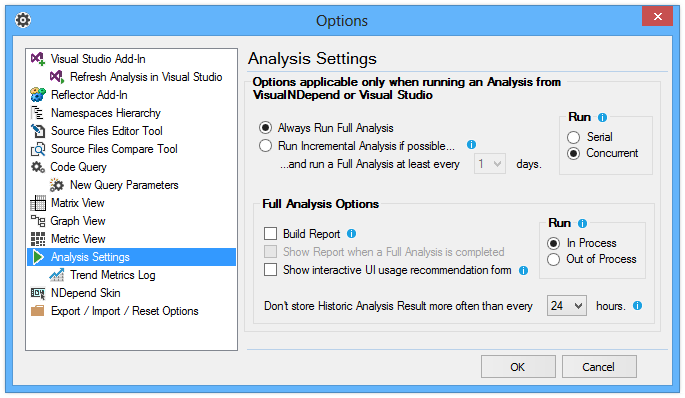
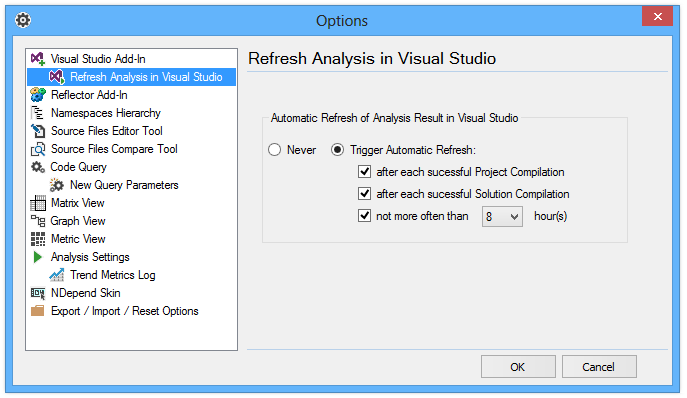
The option panel Analysis Refresh in Visual Studio let's customize when an NDepend analysis should occurs.
-
The option panel Analysis Execution let's finally customize the analysis process (incremental/full analysis, in/out process, report generation…).